/* NearAway homepage — presentational sections. Exported to window. */

const SCENES = [
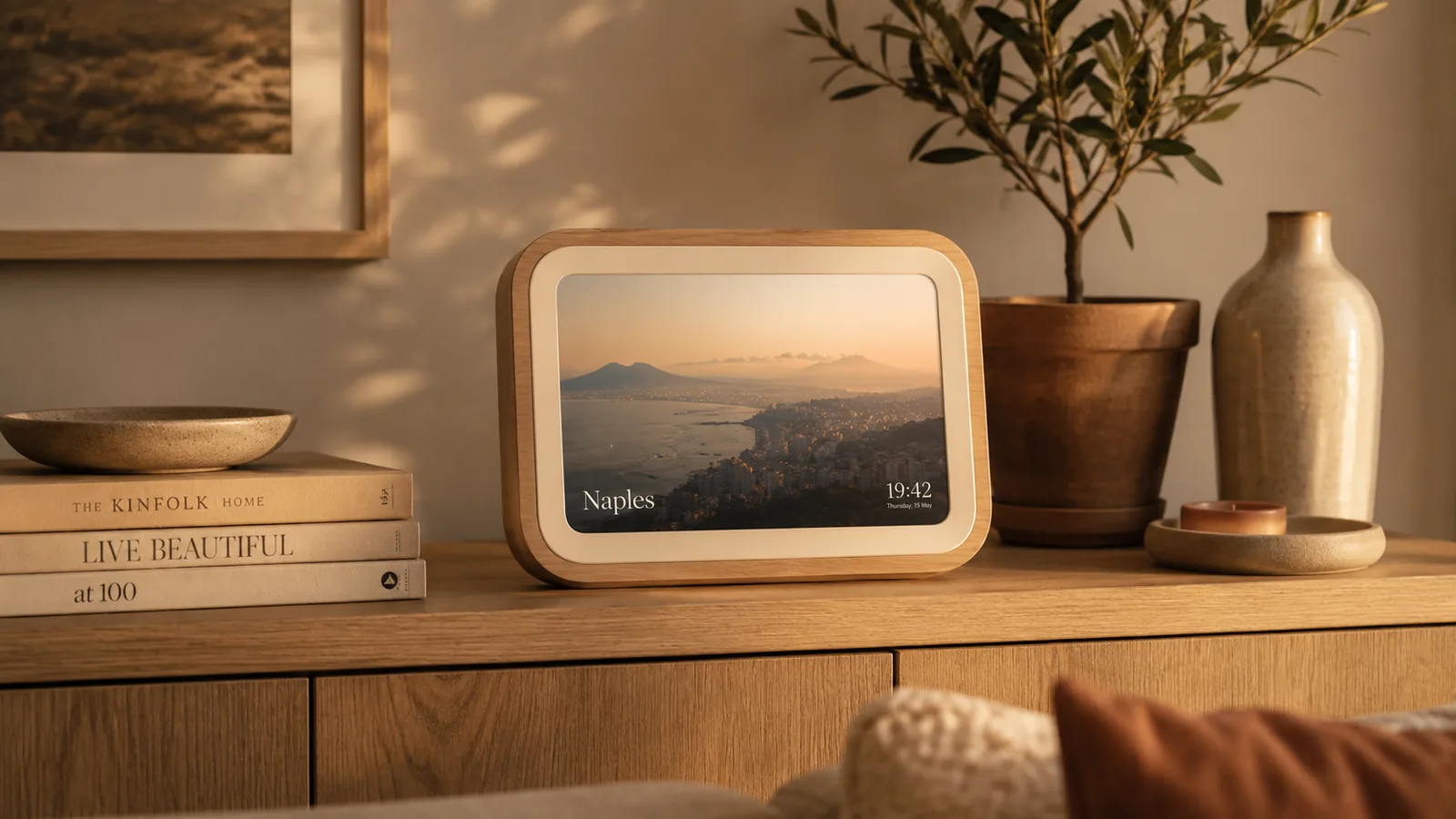
  { id: 'shelf',   src: '/nearaway/img/scene-shelf.webp',   label: 'The frame',       caption: 'Naples · 19:42' },
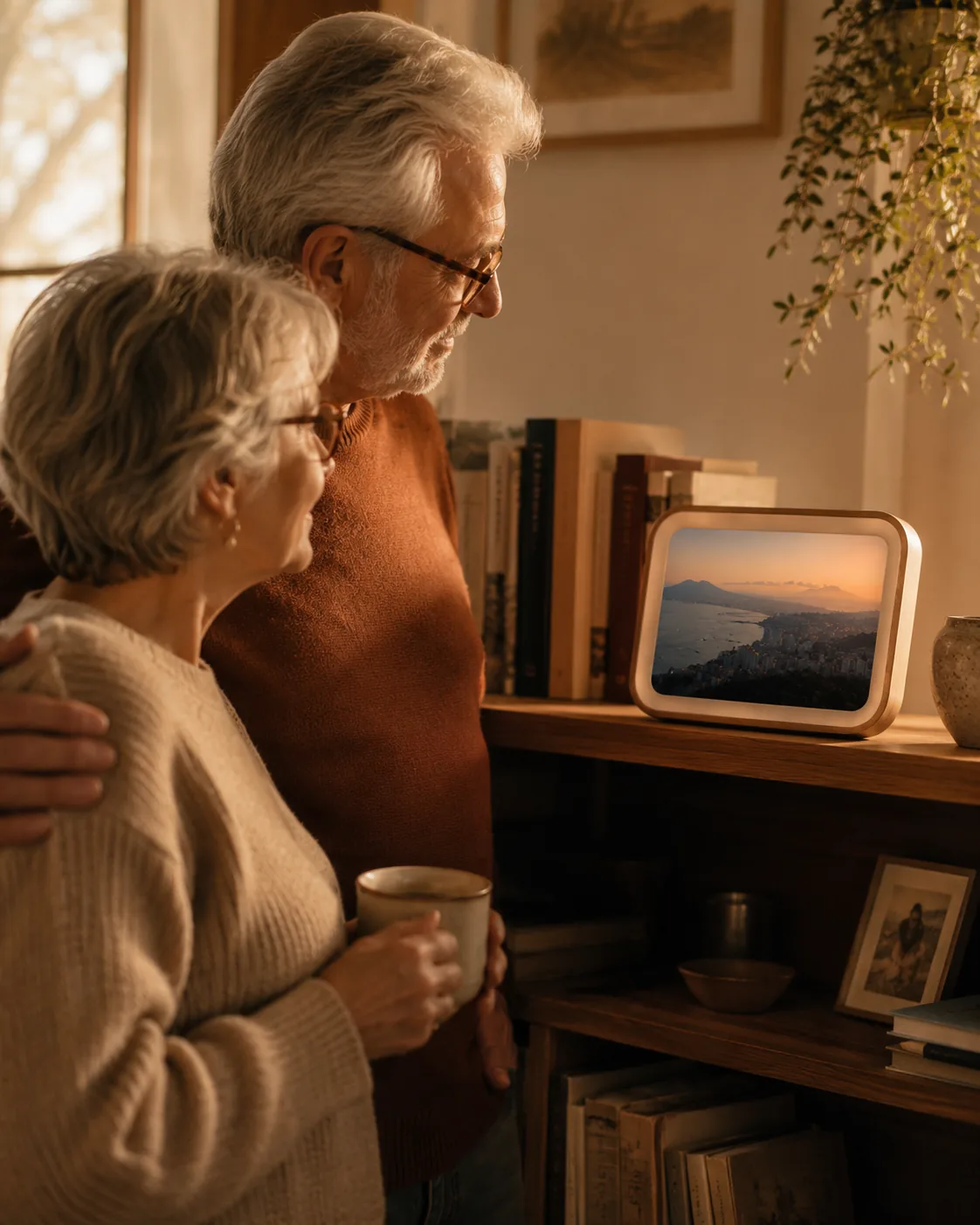
  { id: 'parents', src: '/nearaway/img/scene-parents.webp', label: 'A warm glow',     caption: 'Evening, where they are' },
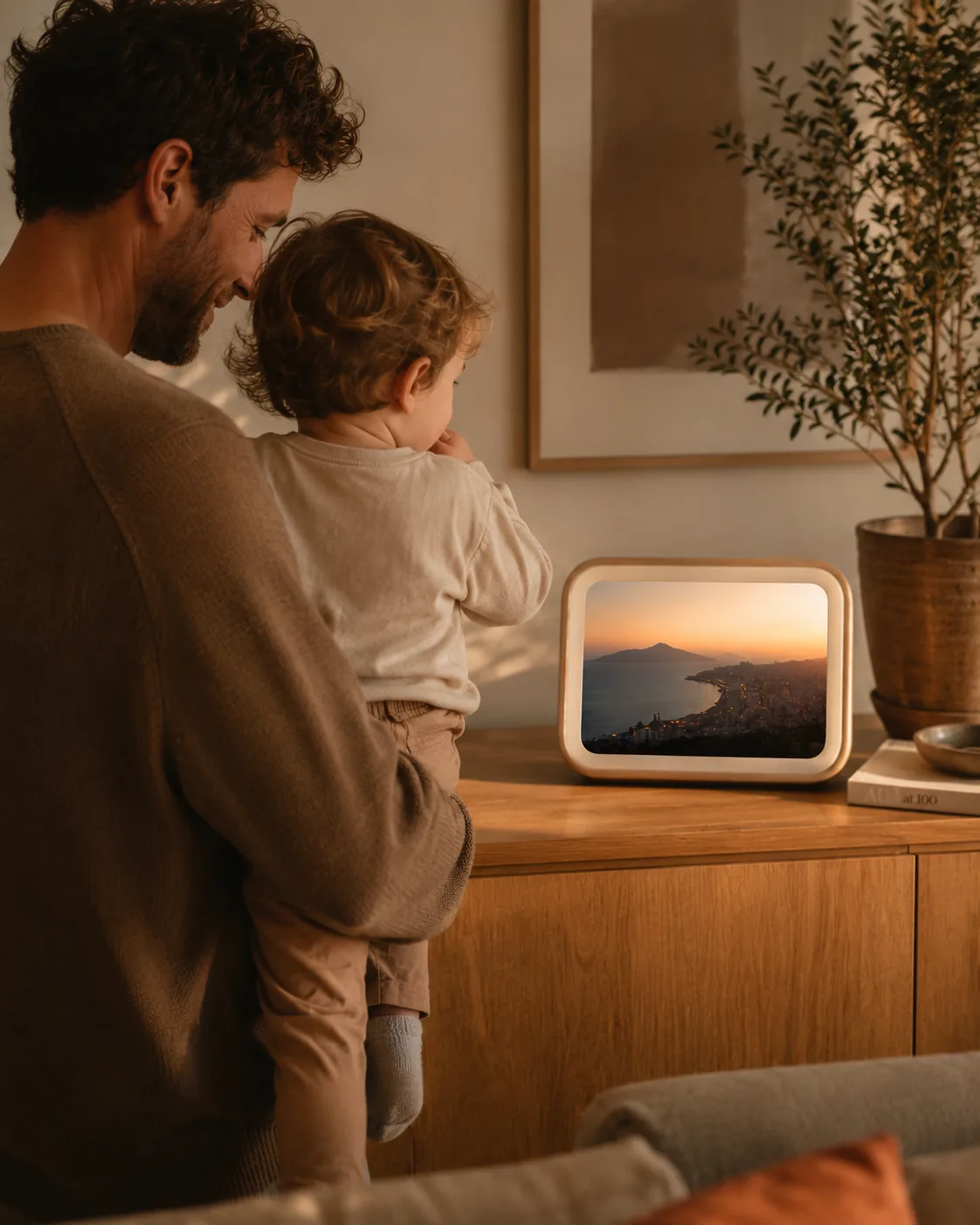
  { id: 'father',  src: '/nearaway/img/scene-father.webp',  label: 'Always near',     caption: 'A quiet presence' },
];

const HEADLINES = {
  tagline:   (<>Near.<br/>Even when <span className="soft">away.</span></>),
  wait:      (<>For the ones<br/>who wait.</>),
  beautiful: (<>They're somewhere<br/><span className="soft">beautiful</span> right now.</>),
};

function Icon({ name }) {
  const p = {
    upload: <><path d="M12 16V4"/><path d="m7 9 5-5 5 5"/><path d="M5 18v1a2 2 0 0 0 2 2h10a2 2 0 0 0 2-2v-1"/></>,
    route:  <><circle cx="6" cy="19" r="2.4"/><circle cx="18" cy="6" r="2.4"/><path d="M8.4 18.2C14 17 16 14 16.6 8.4"/></>,
    heart:  <><path d="M12 20s-7-4.6-9.2-9C1.4 8 2.8 4.8 6 4.8c2 0 3.2 1.2 4 2.4.8-1.2 2-2.4 4-2.4 3.2 0 4.6 3.2 3.2 6.2C19 15.4 12 20 12 20Z"/></>,
    layers: <><path d="m12 3 8 4.5-8 4.5-8-4.5L12 3Z"/><path d="m4 12 8 4.5 8-4.5"/></>,
    screen: <><rect x="3" y="5" width="18" height="13" rx="2"/><path d="M8 21h8"/></>,
    feather:<><path d="M20.2 4.8a5.5 5.5 0 0 0-7.8 0L5 12.2V19h6.8l7.4-7.4a5.5 5.5 0 0 0 0-7.8Z"/><path d="M16 8 6 18"/></>,
  }[name];
  return <svg viewBox="0 0 24 24" fill="none" stroke="currentColor" strokeWidth="1.5" strokeLinecap="round" strokeLinejoin="round">{p}</svg>;
}

function Logo({ light }) {
  return <img src={light ? '/assets/logo-nearaway-linen.svg' : '/assets/logo-nearaway-ink.svg'} alt="near away" />;
}

function Nav({ accent }) {
  return (
    <nav className="hp-nav">
      <div className="hp-wrap hp-nav-inner">
        <a className="hp-nav-logo" href="#top"><Logo /></a>
        <div className="hp-nav-links">
          <a href="#object">The frame</a>
          <a href="#how">How it works</a>
          <a href="#privacy">Privacy</a>
          <a href="#whom">For whom</a>
          <a href="#story">Stories</a>
          <a href="/pricing.html">Pricing</a>
        </div>
        <div className="hp-nav-right">
          <a className="hp-nav-signin" href="/account.html">Sign in</a>
          <a className="hp-btn hp-btn-primary" href="#cta" style={{ '--accent': accent }}>Get NearAway</a>
        </div>
      </div>
    </nav>
  );
}

function Hero({ scene, setScene, headlineKey, accent }) {
  return (
    <header className="hp-hero" id="top">
      <div className="hp-wrap hp-hero-grid">
        <div className="hp-hero-copy">
          <div className="hp-eyebrow terra">For the ones who wait</div>
          <h1>{HEADLINES[headlineKey] || HEADLINES.tagline}</h1>
          <p className="hp-hero-sub">
            A frame for your shelf that quietly follows the journey. Beautiful
            destination photos, a soft map while they fly — no notifications,
            no tracking. Just a gentle sense of where they are.
          </p>
          <div className="hp-hero-actions">
            <a className="hp-btn hp-btn-primary" href="#cta" style={{ '--accent': accent }}>Get NearAway</a>
            <a className="hp-btn hp-btn-ghost" href="#how">See how it works →</a>
          </div>
          <div className="hp-hero-note"><span className="pip"></span> Upload your schedule periodically. NearAway does the rest.</div>
        </div>

        <div className="hp-stage">
          <div className="hp-stage-frame">
            {SCENES.map(s => (
              <img key={s.id} src={s.src} alt={s.label} className={s.id === scene ? 'active' : ''} />
            ))}
            <div className="hp-switch" role="group" aria-label="Choose a scene">
              {SCENES.map(s => (
                <button key={s.id} className={s.id === scene ? 'on' : ''} onClick={() => setScene(s.id)} aria-pressed={s.id === scene}>
                  <span className="dot"></span><span className="lbl">{s.label}</span>
                </button>
              ))}
            </div>
          </div>
        </div>
      </div>
    </header>
  );
}

function HowItWorks() {
  const steps = [
    {
      n: '01', icon: 'upload', t: 'Upload your schedule',
      b: 'Drop in the PDF roster whenever it updates. NearAway reads every flight automatically — no setup, no fuss.',
      detail: 'You can forward your roster by email to a personal upload address, or upload the PDF manually through your dashboard. Either way, NearAway extracts every flight — departures, arrivals, times — and keeps your schedule up to date. Upload whenever your roster changes; NearAway always uses the latest version.'
    },
    {
      n: '02', icon: 'route', t: 'The frame follows along',
      b: "A destination photo when they've landed, a soft map while they fly. It simply keeps up.",
      detail: "The frame switches between two quiet states. While you fly, it shows a soft, stylised map with your route — no exact coordinates, just the journey arc. When you land, it fades to a beautiful destination photo of the city. No push notifications, no sounds. It just… updates."
    },
    {
      n: '03', icon: 'heart', t: 'You simply feel near',
      b: 'Nothing to send, nothing to check. A calm, beautiful sense of presence on your shelf.',
      detail: "Your loved ones never have to open an app or tap a notification. The frame or screen simply glows with where you are — like a photo that quietly changes. It's designed for parents, partners, and children who just want to feel close."
    },
  ];
  const [open, setOpen] = React.useState({});
  const toggle = (n) => setOpen(prev => ({ ...prev, [n]: !prev[n] }));
  return (
    <section className="hp-section paper" id="how">
      <div className="hp-wrap">
        <div className="hp-sec-head center">
          <div className="hp-eyebrow">How it works</div>
          <h2>Three quiet steps.</h2>
          <p>Upload your schedule whenever it changes. After that, NearAway asks nothing of you — it just glows with where they are.</p>
        </div>
        <div className="hp-steps">
          {steps.map(s => (
            <div className={"hp-step" + (open[s.n] ? " expanded" : "")} key={s.n}>
              <div className="hp-step-ico"><Icon name={s.icon} /></div>
              <div className="hp-step-n">{s.n}</div>
              <h3>{s.t}</h3>
              <p>{s.b}</p>
              <button className="hp-step-more" onClick={() => toggle(s.n)} aria-expanded={!!open[s.n]}>
                {open[s.n] ? 'Less' : 'Learn more'}
                <svg viewBox="0 0 16 16" fill="none" stroke="currentColor" strokeWidth="1.5" className={open[s.n] ? 'flip' : ''}><path d="M4 6l4 4 4-4"/></svg>
              </button>
              <div className={"hp-step-detail" + (open[s.n] ? " show" : "")}>
                <p>{s.detail}</p>
              </div>
            </div>
          ))}
        </div>
      </div>
    </section>
  );
}

function TheObject() {
  const feats = [
    { icon: 'layers', t: 'Real materials', b: 'Warm oak, matte ceramic, a linen-cream bezel. It belongs among your books — not on a charging cable.' },
    { icon: 'screen', t: 'Two quiet states', b: "A destination photo when they've landed; a soft map while they fly. Never a busy screen." },
    { icon: 'feather', t: 'Calm by design', b: 'No alerts, no feeds, no red dots. A presence you feel, rather than something you check.' },
  ];
  return (
    <section className="hp-section" id="object">
      <div className="hp-wrap hp-object">
        <div>
          <div className="hp-object-img"><img src="/nearaway/img/scene-shelf.webp" alt="NearAway frame resting on an oak sideboard" /></div>
          <div className="hp-states">
            <div className="hp-state">
              <div className="hp-state-screen loc">
                <span className="badge">On location</span>
                <span className="time">19:42</span>
                <span className="city">Naples</span>
              </div>
              <div className="hp-state-meta"><span className="k">Connection</span><span className="v">Resting now</span></div>
            </div>
            <div className="hp-state">
              <div className="hp-state-screen air">
                <span className="badge"><span className="live"></span>In the air</span>
                <svg className="hp-state-arc" viewBox="0 0 200 150" fill="none" preserveAspectRatio="none">
                  <path d="M28 118 Q100 40 172 64" stroke="#F2D9C0" strokeWidth="2" strokeDasharray="3 7" strokeLinecap="round" opacity="0.85"/>
                  <circle cx="118" cy="62" r="5" fill="#D6A378"/>
                  <circle cx="118" cy="62" r="9" fill="#D6A378" opacity="0.3"/>
                </svg>
                <span className="city" style={{ fontSize: 16, opacity: .95 }}>Amsterdam → Bangkok</span>
              </div>
              <div className="hp-state-meta"><span className="k">Connection</span><span className="v">68% of the way</span></div>
            </div>
          </div>
        </div>
        <div>
          <div className="hp-eyebrow terra">The object</div>
          <div className="hp-sec-head" style={{ marginBottom: 0 }}>
            <h2>An object with feeling — not a gadget.</h2>
            <p>Pale oak and soft ceramic, made to live on a shelf among your books and plants. The only light it gives is the warm glow of somewhere far away.</p>
          </div>
          <div className="hp-feats">
            {feats.map(f => (
              <div className="hp-feat" key={f.t}>
                <div className="hp-feat-mark"><Icon name={f.icon} /></div>
                <div><h4>{f.t}</h4><p>{f.b}</p></div>
              </div>
            ))}
          </div>
        </div>
      </div>
    </section>
  );
}

function ForWhom() {
  const roles = [
    { r: 'For partners', b: "Upload your schedule whenever it changes. The frame keeps a quiet vigil while they're away — and warms the moment they land." },
    { r: 'For parents', b: 'No app to learn, nothing to check. Just a warm photo on the shelf that follows your child across the world.' },
    { r: 'For children', b: 'A gentle way to feel close to a mother or father who flies — present, without a single notification.' },
  ];
  return (
    <section className="hp-section paper" id="whom">
      <div className="hp-wrap">
        <div className="hp-sec-head">
          <div className="hp-eyebrow">For whom</div>
          <h2>For everyone who stays behind.</h2>
        </div>
        <div className="hp-whom">
          {roles.map(x => (
            <div className="hp-whom-card" key={x.r}>
              <div className="role">{x.r}</div>
              <p>{x.b}</p>
            </div>
          ))}
        </div>
      </div>
    </section>
  );
}

function Story() {
  return (
    <section className="hp-section ember" id="story">
      <div className="hp-wrap hp-story-grid">
        <div className="hp-story-img"><img src="/nearaway/img/scene-parents.webp" alt="An older couple looking fondly at the NearAway frame" /></div>
        <div>
          <div className="hp-eyebrow">A quiet presence</div>
          <p className="hp-story-q" style={{ marginTop: 16 }}>“They're somewhere beautiful right now.”</p>
          <p className="hp-story-by">No notifications. No tracking. Just a calm, beautiful sense of where someone you love is — glowing softly on the shelf, all day long.</p>
          <div className="hp-story-tag">For the ones who wait</div>
        </div>
      </div>
    </section>
  );
}

function ClosingCTA({ accent }) {
  return (
    <section className="hp-cta" id="cta">
      <img src="/nearaway/img/scene-father.webp" alt="A father and child looking at the NearAway frame at sunset" />
      <div className="hp-cta-scrim"></div>
      <div className="hp-wrap hp-cta-inner">
        <h2>Near. Even when away.</h2>
        <p>For the ones who wait</p>
        <div className="hp-cta-actions">
          <a className="hp-btn hp-btn-onember" href="#" style={{ '--accent': accent }}>Get NearAway</a>
          <a className="hp-btn hp-btn-glass" href="#how">See how it works</a>
        </div>
      </div>
    </section>
  );
}

function Footer() {
  const cols = [
    { h: 'Explore', links: ['The frame', 'How it works', 'For whom', 'Stories'] },
    { h: 'Account', links: [{ l: 'Sign in', href: '/account.html' }, { l: 'Set up', href: '/setup.html' }, { l: 'Your dashboard', href: '/login.html' }] },
    { h: 'Company', links: ['Our story', 'Contact', 'Press'] },
  ];
  return (
    <footer className="hp-footer">
      <div className="hp-wrap">
        <div className="hp-footer-top">
          <div className="hp-footer-brand">
            <Logo light />
            <div className="tag">Near. Even when away.</div>
          </div>
          {cols.map(c => (
            <div className="hp-footer-col" key={c.h}>
              <h5>{c.h}</h5>
              {c.links.map(l => typeof l === 'string' ? <a href="#" key={l}>{l}</a> : <a href={l.href} key={l.l}>{l.l}</a>)}
            </div>
          ))}
        </div>
        <div className="hp-footer-base">
          <span>© 2026 NearAway</span>
          <span>For the ones who wait</span>
        </div>
      </div>
    </footer>
  );
}

function Privacy() {
  const items = [
    { no: true, text: 'No GPS or location tracking' },
    { no: true, text: 'No hotel or address information' },
    { no: true, text: 'No personal data shared with third parties' },
    { no: true, text: 'No browsing, spending, or activity data' },
    { no: false, text: 'Only scheduled flight departures & arrivals' },
    { no: false, text: 'Only the city name — never an exact address' },
  ];
  return (
    <section className="hp-section hp-privacy" id="privacy">
      <div className="hp-wrap">
        <div className="hp-privacy-grid">
          <div className="hp-privacy-copy">
            <div className="hp-eyebrow terra">Your privacy</div>
            <div className="hp-sec-head" style={{ marginBottom: 0 }}>
              <h2>We only know departure and arrival. Nothing more.</h2>
              <p>NearAway is built on one principle: show just enough to feel close — never enough to feel watched. No exact location, no hotel details, no personal information is ever shared with anyone.</p>
            </div>
          </div>
          <div className="hp-privacy-list">
            {items.map((item, i) => (
              <div className={"hp-privacy-item" + (item.no ? " denied" : " allowed")} key={i}>
                <span className="hp-privacy-icon">
                  {item.no
                    ? <svg viewBox="0 0 20 20" fill="none"><circle cx="10" cy="10" r="9" stroke="currentColor" strokeWidth="1.3"/><path d="M6.5 6.5l7 7" stroke="currentColor" strokeWidth="1.3" strokeLinecap="round"/></svg>
                    : <svg viewBox="0 0 20 20" fill="none"><circle cx="10" cy="10" r="9" stroke="currentColor" strokeWidth="1.3"/><path d="M6.5 10.5l2 2 5-5" stroke="currentColor" strokeWidth="1.3" strokeLinecap="round" strokeLinejoin="round"/></svg>
                  }
                </span>
                <span>{item.text}</span>
              </div>
            ))}
          </div>
        </div>
        <div className="hp-privacy-footer">
          <p>Your roster is processed securely, your flights are shown — and that is where it ends. Nothing stored, nothing tracked, nothing sold. Ever.</p>
        </div>
      </div>
    </section>
  );
}

function Sections(props) {
  var noop = function() {};
  return <Hero scene={props.scene || 'shelf'} setScene={props.setScene || noop} headlineKey={props.headlineKey || 'tagline'} accent={props.accent || '#D6A378'} />;
}

Object.assign(window, { SCENES, Icon, Logo, Nav, Hero, HowItWorks, TheObject, ForWhom, Story, ClosingCTA, Footer, Privacy, Sections });